
How to Score a Round of Golf in VPAR
VPAR replaces the paper scorecard with a live one. Enter scores as you go, and Stableford points, net scores and leaderboards are worked out for you. This guide assumes your game is already set up; if not, start with our guide to setting up a game.
Step 1: Open your game
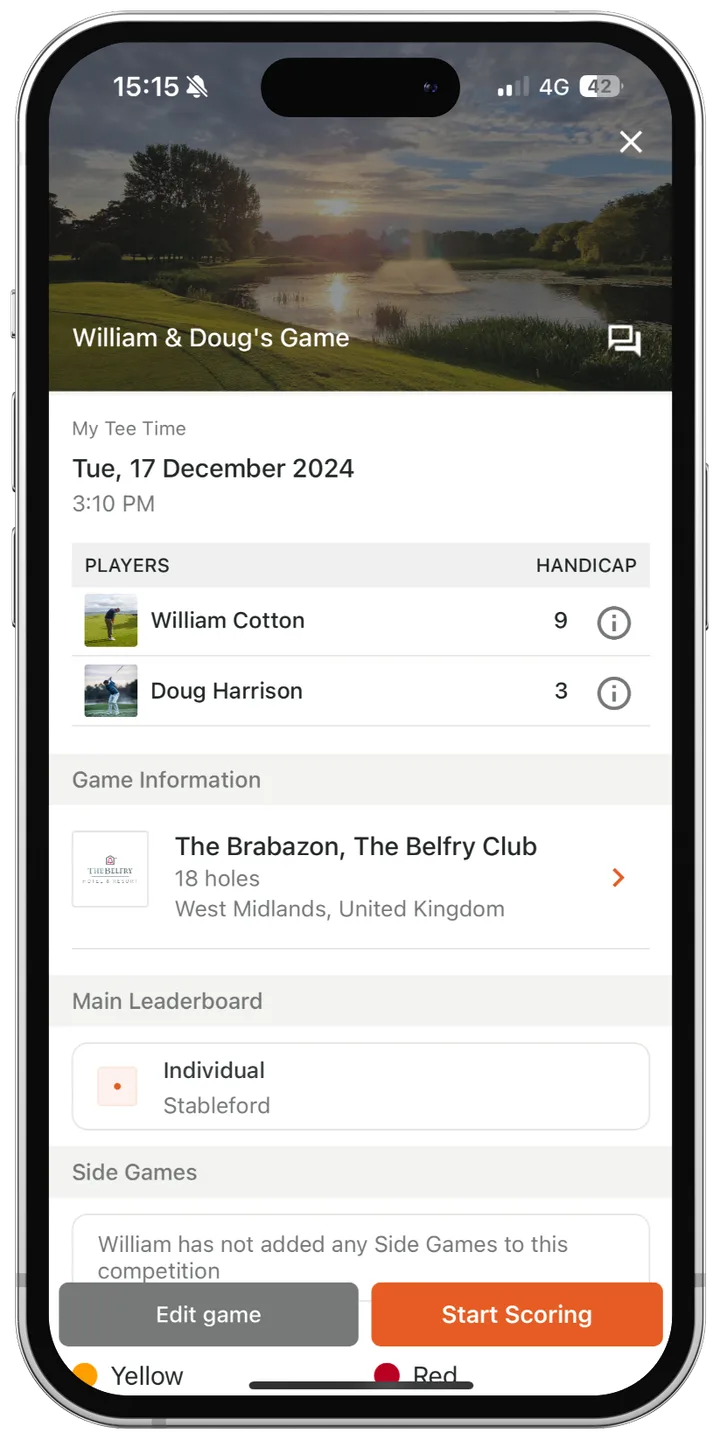
Tap Play, find your game in the list and tap it. The round overview shows the course, the players and your format. If everything's correct, tap Start Scoring.
Step 2: Get to know the scorecard
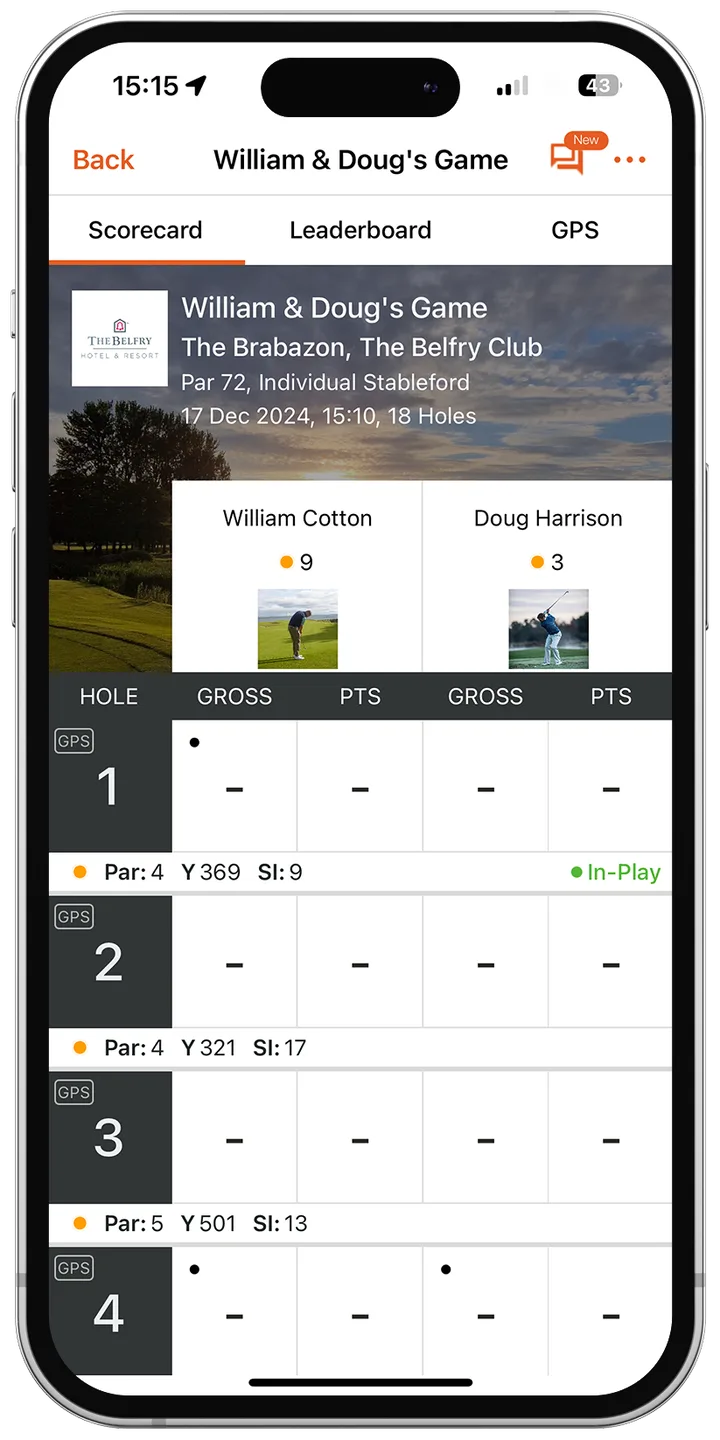
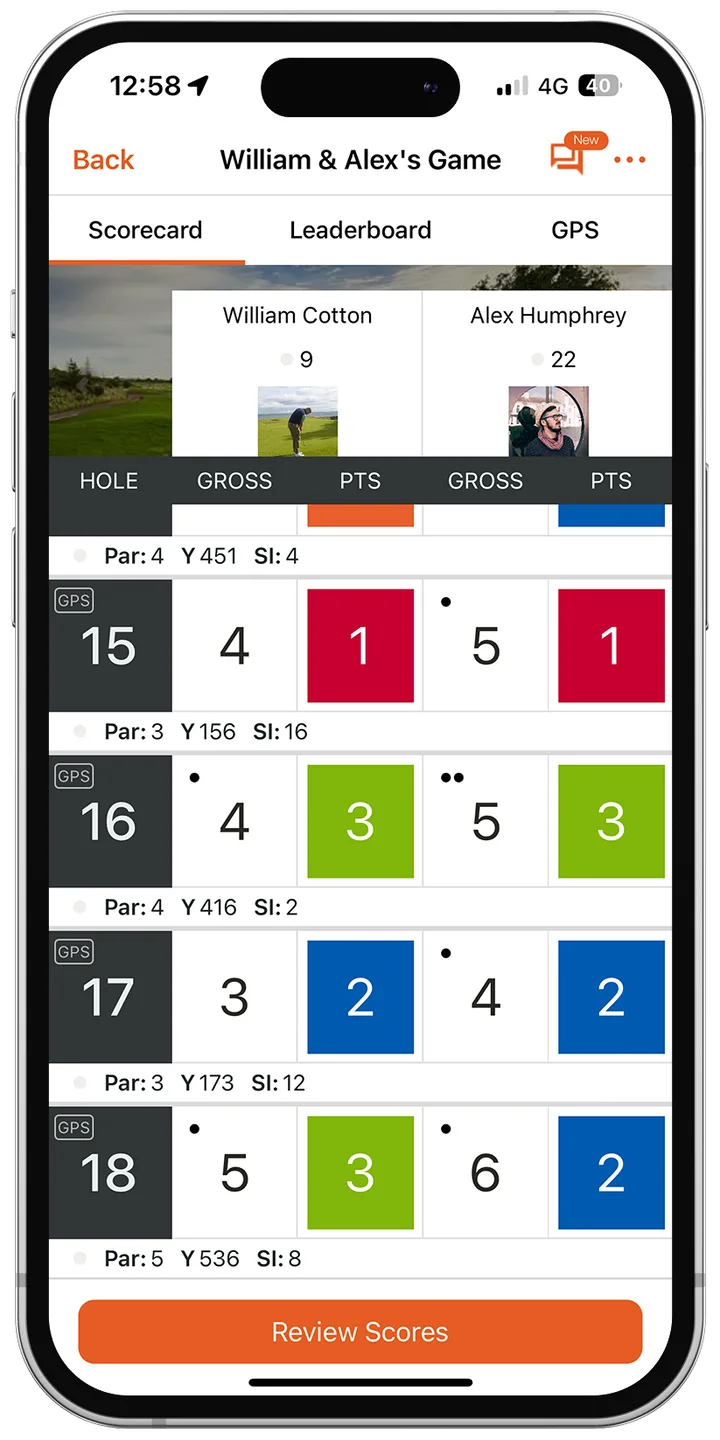
The scorecard shows each player's gross score and points (or net score) hole by hole. From here you can switch to the Leaderboard and GPS tabs at the top. The hole's par, yardage and stroke index sit under the hole number, and a dot in the corner of a score box means that player receives a shot on that hole.
Step 3: Enter a score
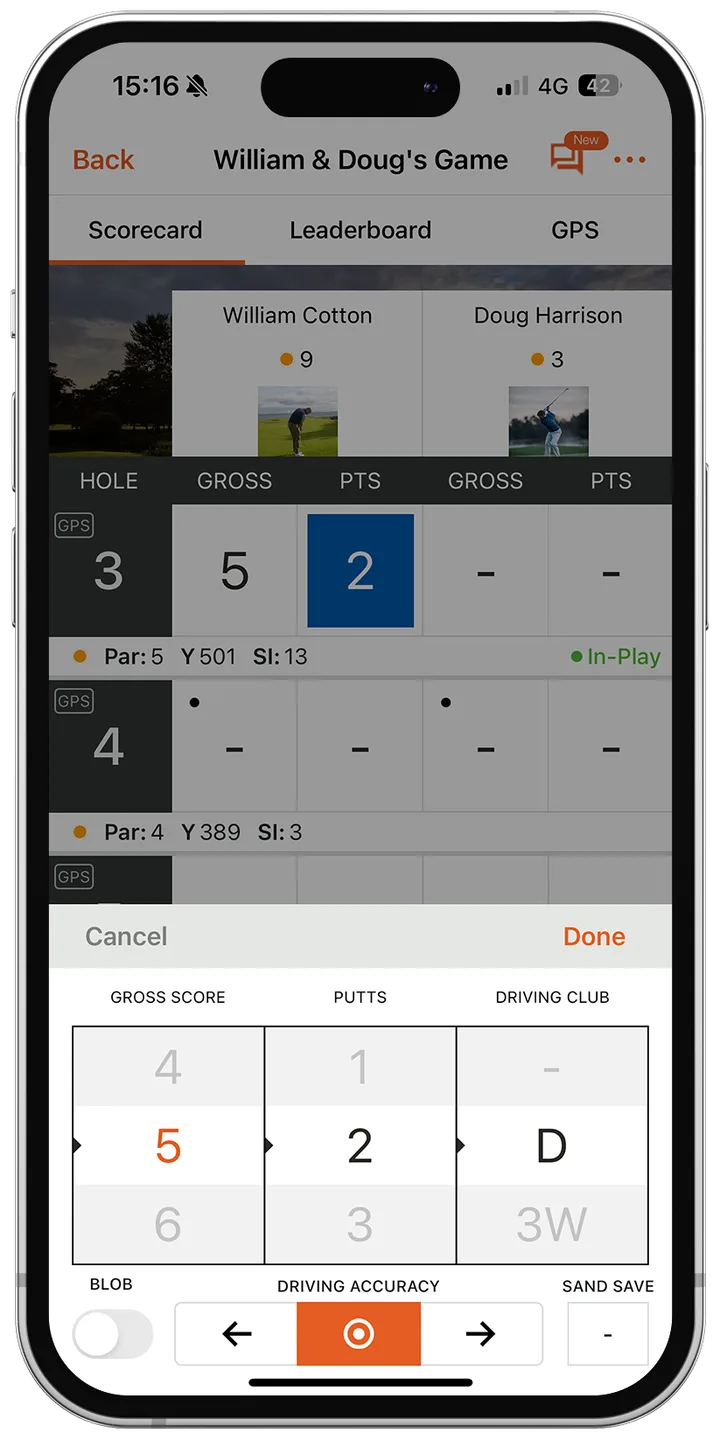
- After finishing a hole, tap the Gross box for the first player.
- Scroll the left wheel to their gross score. This is the only field you need to fill in.
- If they didn't finish the hole, turn on the Blob toggle. It records a / and counts as a net double bogey for handicap purposes.
- Optionally, record putts (middle wheel), the club used off the tee (right wheel), driving accuracy (left, straight or right) and whether they made a sand save.
- Tap Done, then repeat for everyone else in your group.
Tip: You can record full stats for yourself and just gross scores for your playing partners.
Only one person needs to score
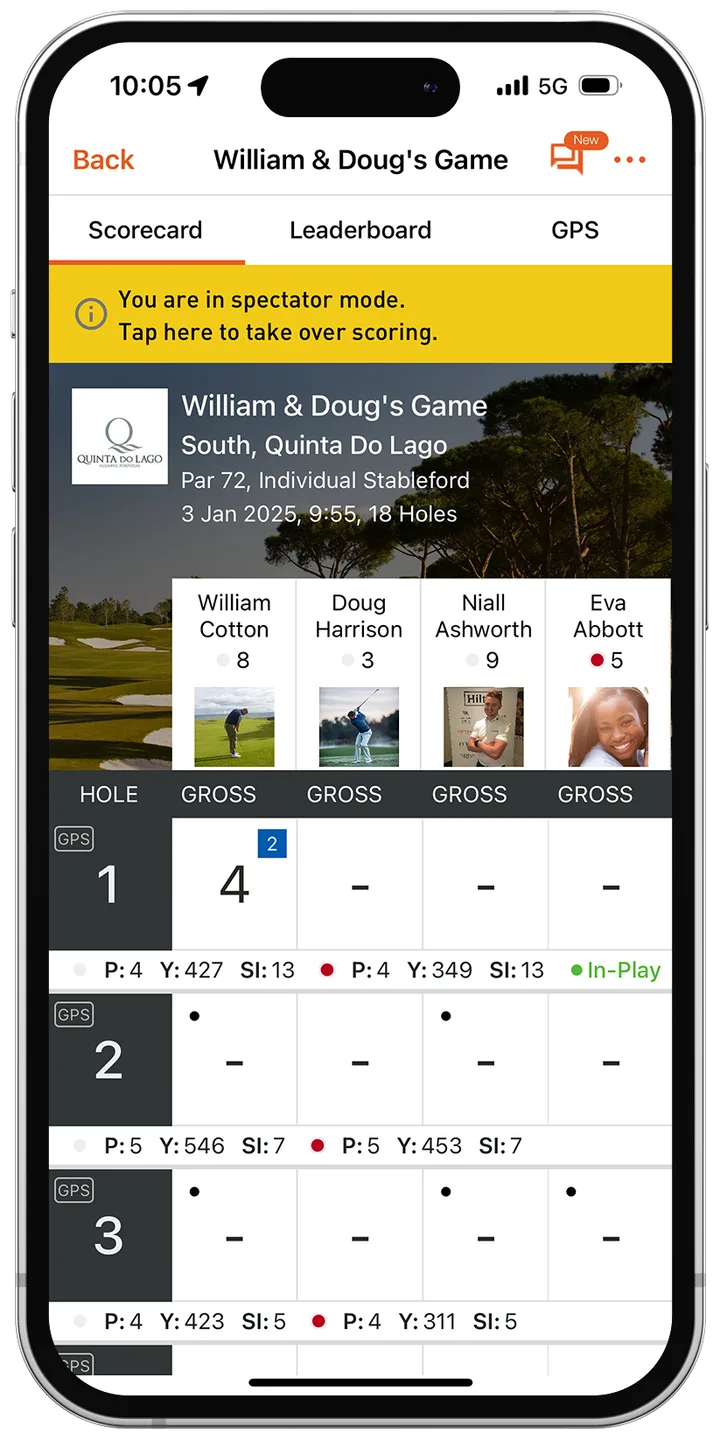
In a group, one player controls the scoring. Anyone else who opens the game goes into spectator mode, shown by a yellow banner. Spectators can still see the scorecard and leaderboards and use all the GPS features. To take over scoring, tap the yellow banner; the current scorer then becomes a spectator.
Fixing a mistake during the round
Entered the wrong score? Tap it again and choose the correct number using the same score wheel.
Step 4: Review and save your round
Once every hole has a score, a Review Scores button appears at the bottom of the scorecard. Tap it to check everything before you submit.
If something's wrong, tap Edit Scores to go back to the scorecard. When you're happy, tap Save.
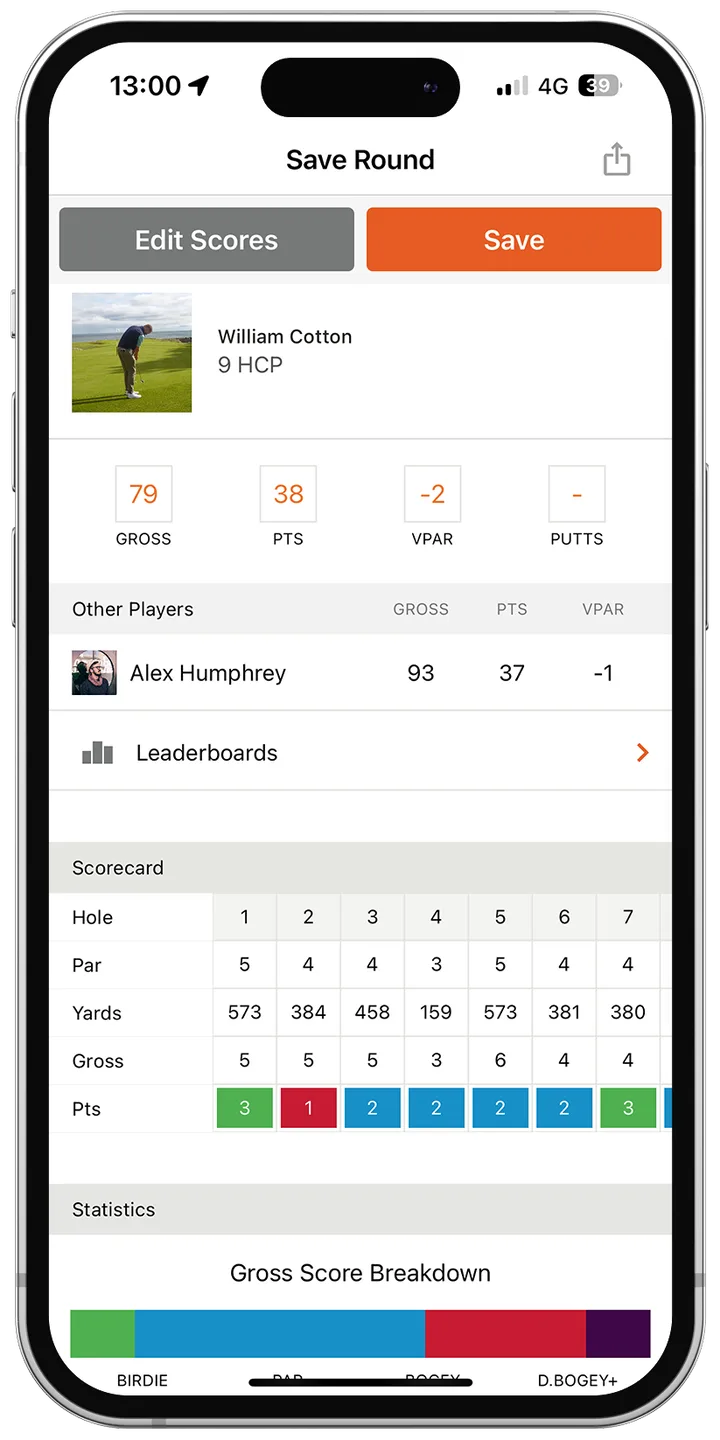
Tip: Saving is final: it sends the round for processing, including your handicap calculation and stats. If you need to change a saved round, email support@vpar.com with the round name, date and the correct score.
Scoring a multi-round event
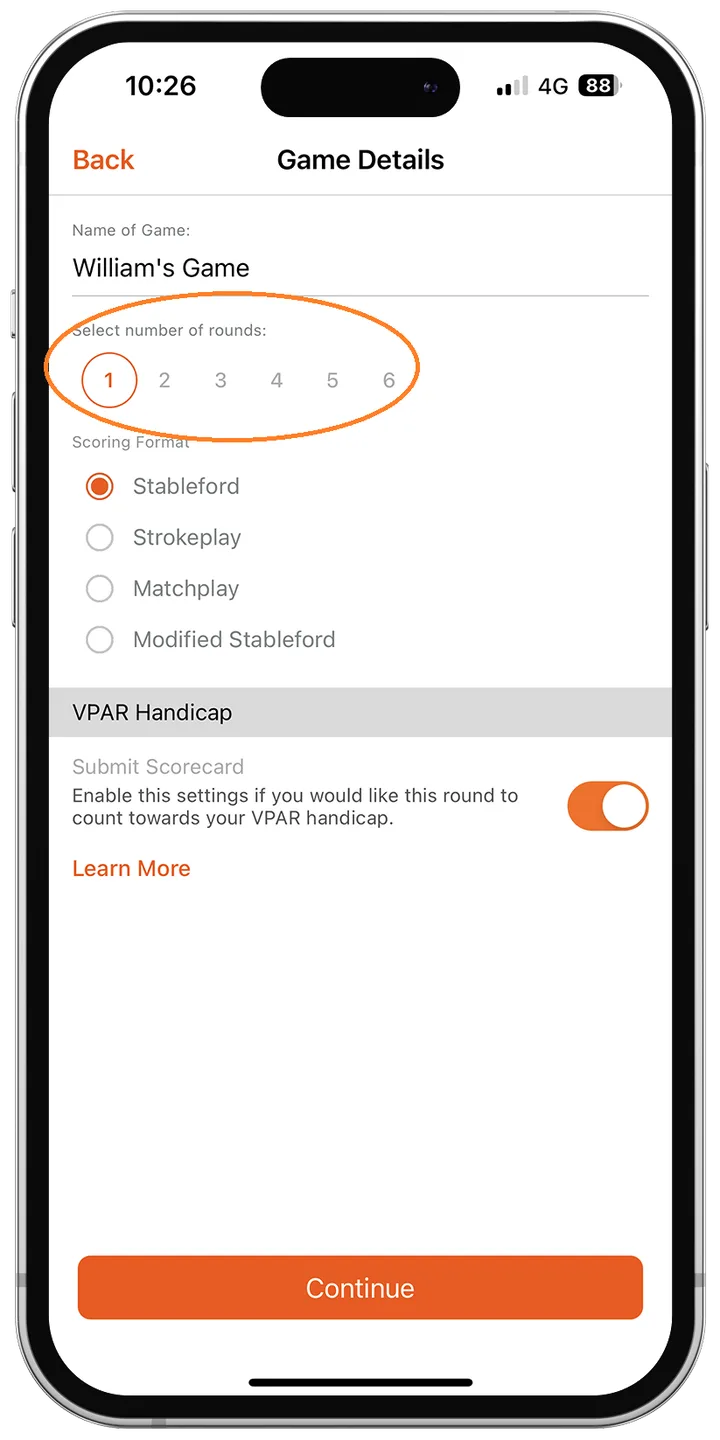
For trips and events over several days, choose the number of rounds when you create the game. You'll set the course, tee and format for each round, and the leaderboard can combine scores across them.
Frequently asked questions
- Does everyone in my group need to enter scores?
- No. One player scores for the group, and everyone else can follow along in spectator mode with full access to the scorecard, leaderboards and GPS.
- What does a 'blob' mean on the VPAR scorecard?
- A blob means you didn't complete the hole. It shows as / on the scorecard and counts as a net double bogey for handicap purposes.
- Can I edit my score after saving the round?
- Not in the app, because saving submits the round for handicap and stats processing. Email support@vpar.com with the round name, date and correct score and the team will update it.


Golf terms in this guide
More help
This guide brings together these articles from the VPAR help centre: