Golf Bag · November 16, 2026
Get More Out of VPAR: Have You Set Up Your Golf Bag?
Your golf bag is more than just a collection of clubs. It's the key to unlocking a more personalised experience with VPAR.
Whether you're looking to make smarter decisions on the course or better understand your game, VPAR has the tools to help. But there's one simple step you might be missing: setting up your Golf Bag.
By adding the clubs you carry and how far you hit them, you can make the most of two of VPAR's on-course features: Club Recommendation and Shot Tracking.
Here's why it's worth taking a few minutes to get set up before your next round.
What Is My Golf Bag?
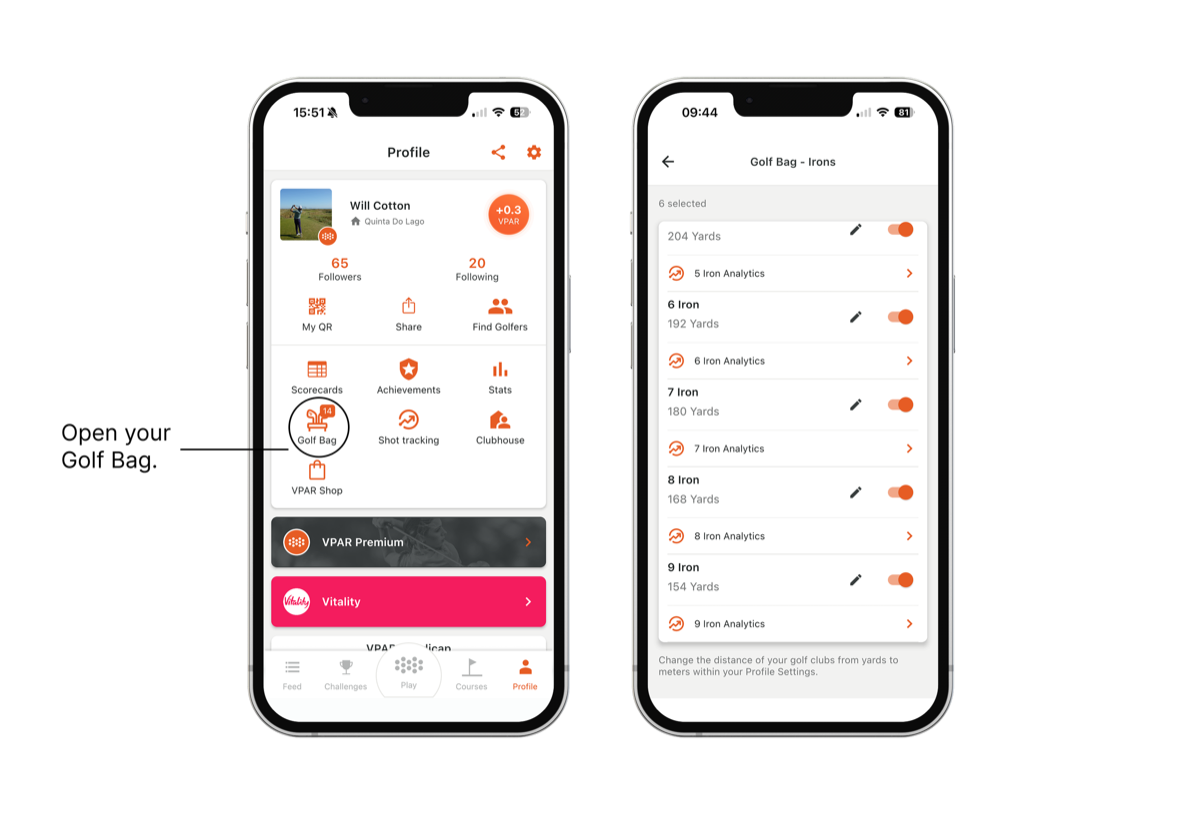
Your Golf Bag allows you to customise VPAR to your golf game and get the most out of your on-course assistant.
It's simple: tell us which clubs you carry and the average distance you hit each one. From your driver down to your wedges, this information helps VPAR understand your game and deliver a more personalised experience on the course.
And once you've filled it in, there's plenty more you can do.
1. Access Club Recommendation
Ever stood over a shot wondering whether to hit a 7-iron or an 8-iron?
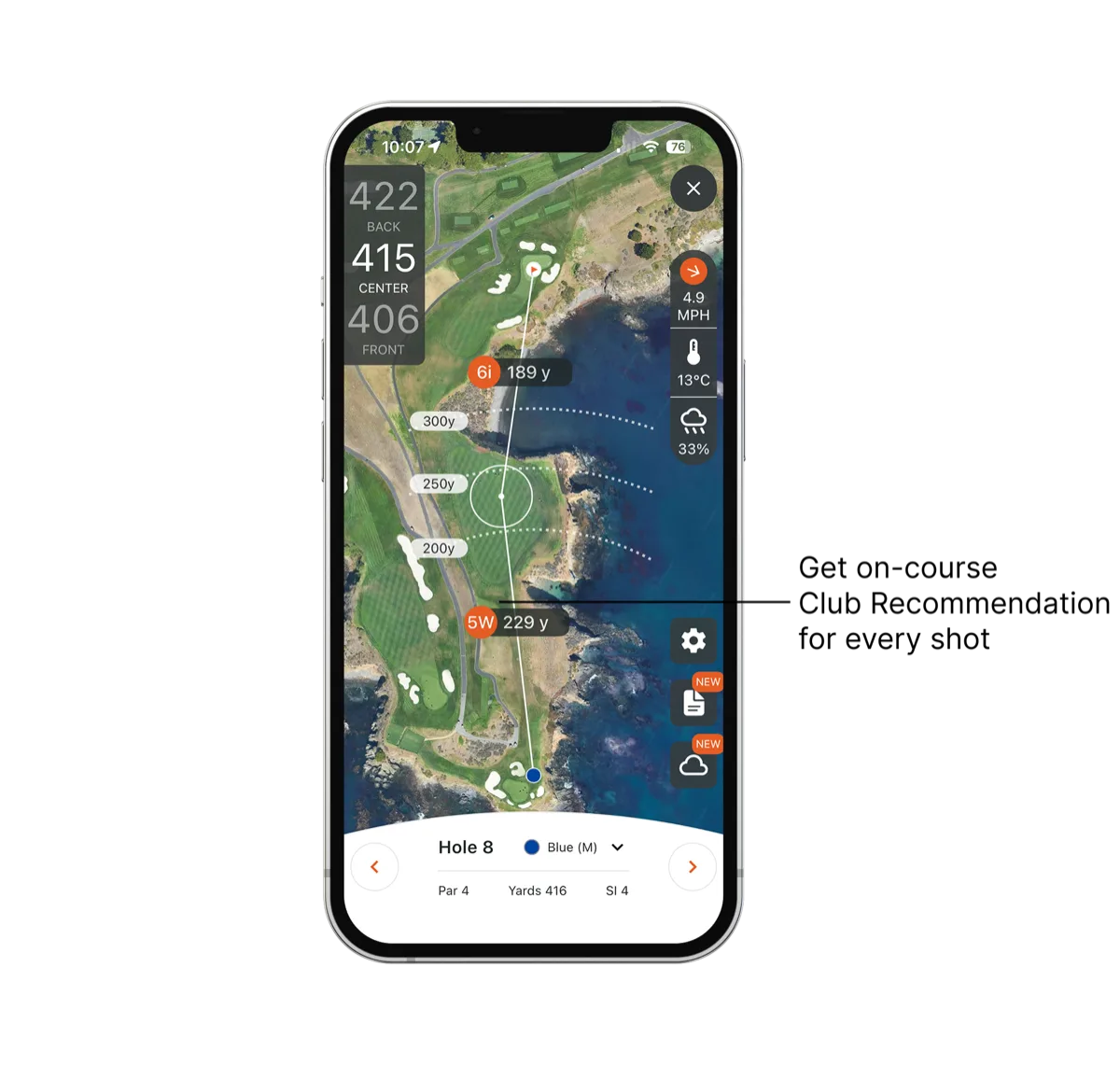
With VPAR's Club Recommendation feature, choosing the right club becomes that little bit easier.
Using GPS technology and the distances you've entered in your Golf Bag, VPAR can recommend a club based on your position on the course.
Instead of relying purely on guesswork, you'll have a personalised suggestion to help you approach your next shot with confidence.
The key? VPAR needs to know which clubs you carry and how far you hit them before it can provide personalised Club Recommendation.
2. Access Shot Tracking
Think you know how far you hit your 7-iron? Your on-course data might surprise you.
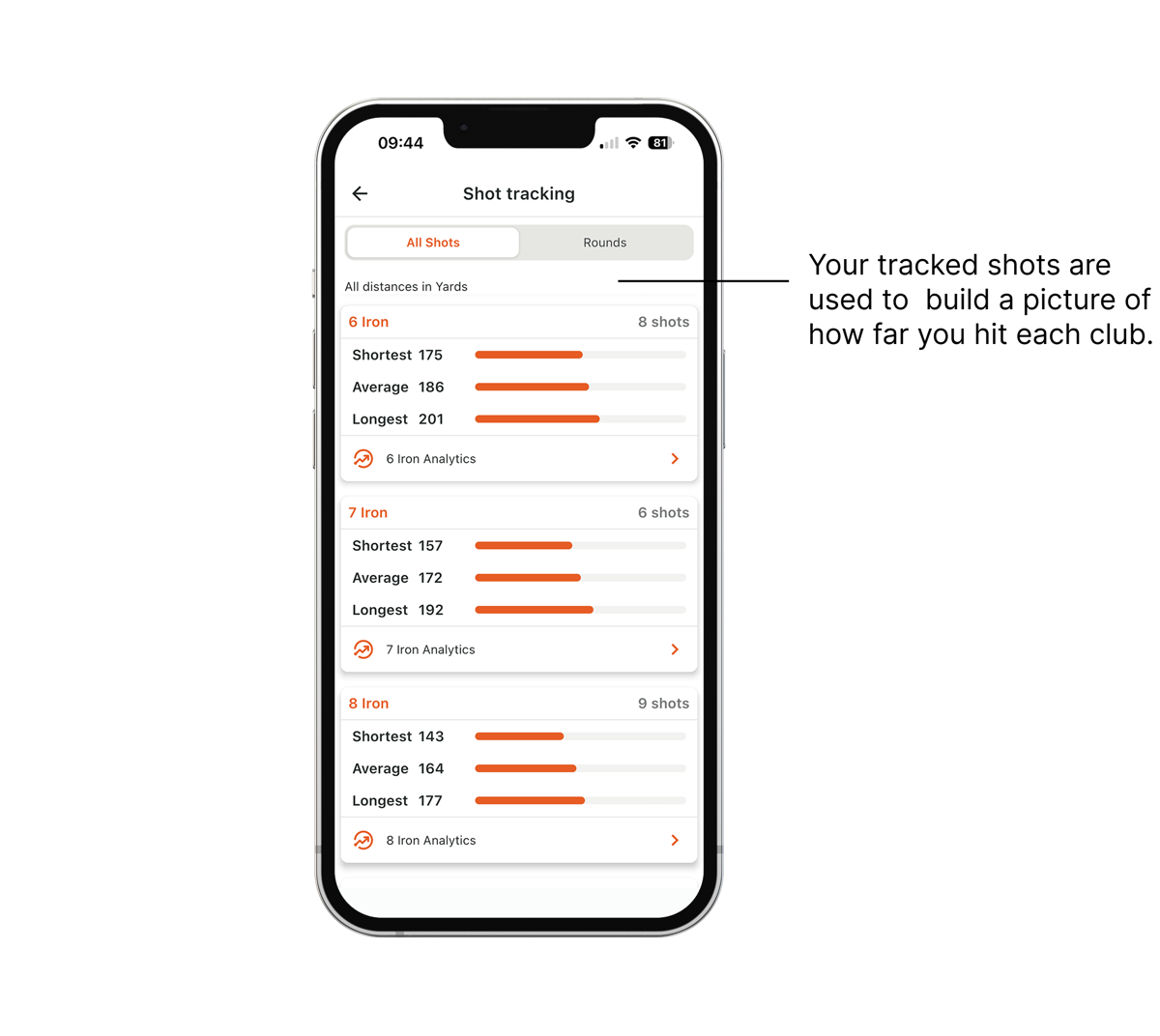
VPAR's Shot Tracking feature allows you to record shots during your round and build a better understanding of your performance with each club.
With your Golf Bag set up, you can select the clubs you're using as you track your shots.
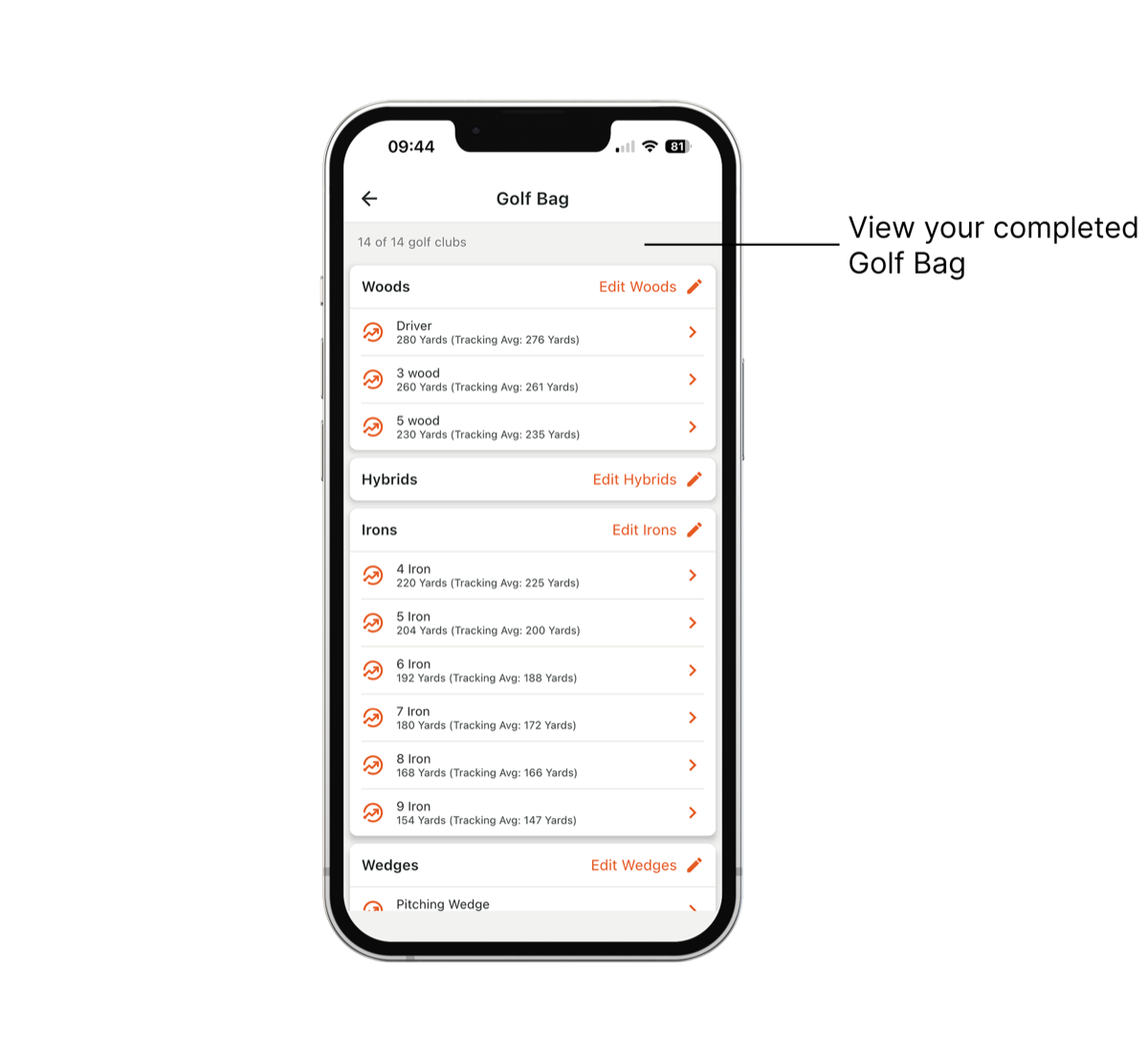
Better still, your tracked average distances for each club appear alongside your manually entered distances in your Golf Bag, allowing you to compare how far you think you hit each club with your actual on-course results.
As you build up your shot data, you can use these insights to refine your club distances and make your Club Recommendation even more accurate.
The more you understand your game, the better informed your decisions can become.
How to Set Up Your Golf Bag
Getting started takes just a few simple steps:
- Open VPAR and head to your Profile.
- Select Golf Bag.
- Add your clubs by selecting each section and toggling on the clubs you carry.
- Enter your distances by adding the average yardage you hit each club.
- You're ready! Your Golf Bag is now set up to help you make more of VPAR's on-course features.
Top tip: Be realistic with your distances. It's better to enter how far you typically hit each club rather than the distance of your best-ever shot.
Your Bag. Your Distances. Your Game.
VPAR is designed to help you get more from every round, and setting up your Golf Bag is one of the easiest ways to make that happen.
From personalised club suggestions to real shot-tracking insights, a few minutes of setup can help you make smarter decisions and understand your game better.
So, before you head out for your next round, make sure your Golf Bag is ready. Your Golf Bag & Club Recommendation are VPAR Premium features.